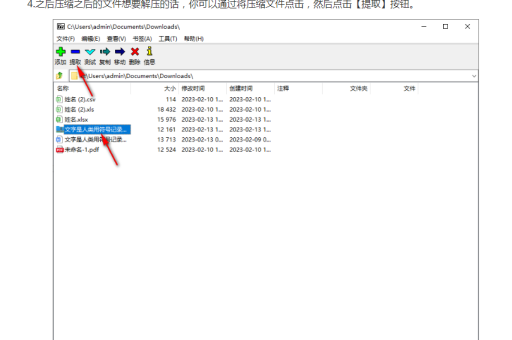
我来帮您介绍使用7-Zip解压后批量整理文件的方法,这里提供几种不同场景的解决方案:
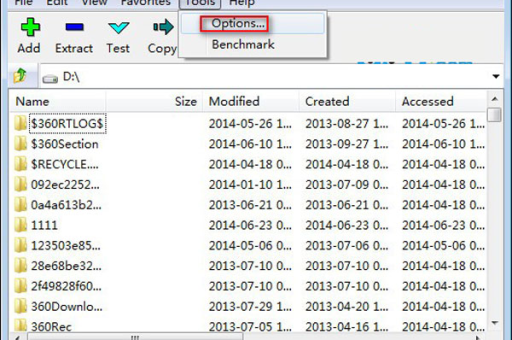
批量解压缩文件
使用7-Zip批量解压
:: 批量解压当前目录下所有.7z文件
for %i in (*.7z) do "C:\Program Files\7-Zip\7z.exe" x "%i" -o"%~ni" -y
使用PowerShell批量解压
# 批量解压所有zip文件
Get-ChildItem -Path "C:\YourPath" -Filter *.zip | ForEach-Object {
    $destination = Join-Path -Path $_.Directory.FullName -ChildPath $_.BaseName
    & "C:\Program Files\7-Zip\7z.exe" x $_.FullName -o"$destination" -y
}
批量整理解压后的文件
按文件类型分类
@echo off
:: 批量整理文件到对应文件夹
for %%i in (*.txt) do (
    if not exist "TXT_Files" mkdir "TXT_Files"
    move "%%i" "TXT_Files\"
)
for %%i in (*.jpg *.png *.gif) do (
    if not exist "Image_Files" mkdir "Image_Files"
    move "%%i" "Image_Files\"
)
for %%i in (*.doc *.docx *.pdf) do (
    if not exist "Document_Files" mkdir "Document_Files"
    move "%%i" "Document_Files\"
)
按日期整理
# PowerShell脚本 - 按修改日期整理文件
$sourcePath = "C:\SourcePath"
$files = Get-ChildItem -Path $sourcePath -File
foreach ($file in $files) {
    $year = $file.LastWriteTime.Year
    $month = $file.LastWriteTime.ToString("MM")
    $targetPath = Join-Path -Path $sourcePath -ChildPath "$year\$month"
    if (!(Test-Path $targetPath)) {
        New-Item -ItemType Directory -Path $targetPath -Force
    }
    Move-Item -Path $file.FullName -Destination $targetPath
}
完整的批量处理脚本
Batch文件版本 (auto_organize.bat)
@echo off
chcp 65001 >nul
echo ========================================
echo     7-Zip批量解压与整理工具
echo ========================================
:: 设置7-Zip路径
set "sevenzip=C:\Program Files\7-Zip\7z.exe"
:: 批量解压所有支持的压缩文件
echo 正在批量解压文件...
for %%i in (*.7z *.zip *.rar *.tar *.gz) do (
    if exist "%%i" (
        echo 解压: %%i
        "%sevenzip%" x "%%i" -o"%%~ni" -y >nul
    )
)
:: 整理解压后的文件
echo 正在整理文件...
cd /d "%~dp0"
:: 创建分类文件夹
for %%d in (文档 图片 视频 音频 压缩包 其他) do (
    if not exist "%%d" mkdir "%%d"
)
:: 移动各类文件
echo 整理文档...
for %%e in (.doc .docx .pdf .txt .xls .xlsx .ppt .pptx) do (
    move *%%e "文档\" 2>nul
)
echo 整理图片...
for %%e in (.jpg .jpeg .png .gif .bmp .svg .webp) do (
    move *%%e "图片\" 2>nul
)
echo 整理视频...
for %%e in (.mp4 .avi .mkv .mov .wmv .flv) do (
    move *%%e "视频\" 2>nul
)
echo 整理音频...
for %%e in (.mp3 .wav .flac .aac .wma .ogg) do (
    move *%%e "音频\" 2>nul
)
echo 整理完成!
pause
使用Total Commander + 7-Zip插件
如果您需要更强大的功能,推荐使用 Total Commander:
- 安装Total Commander
- 安装7-Zip插件
- 使用批量重命名工具 (Ctrl+M)
- 支持多条件筛选和排序
实用小技巧
批量重命名解压后的文件
:: 在文件名前添加前缀
for %%i in (*.txt) do ren "%%i" "processed_%%i"
:: 替换文件名中的空格
for %%i in (*) do (
    set "name=%%i"
    set "name=!name: =_!"
    ren "%%i" "!name!"
)
删除解压后的空文件夹
:: 删除所有空目录
for /f "delims=" %%i in ('dir /ad /b /s ^| sort /r') do rd "%%i" 2>nul
注意事项
- 备份重要数据:执行批量操作前建议先备份
- 测试环境:先在测试文件夹中验证脚本
- 路径问题:确保7-Zip安装路径正确
- 权限问题:某些系统目录需要管理员权限
如果您有具体的整理需求,可以告诉我更详细的信息,我可以为您定制更精确的解决方案。
标签: 批量处理
版权声明:除非特别标注,否则均为本站原创文章,转载时请以链接形式注明文章出处。